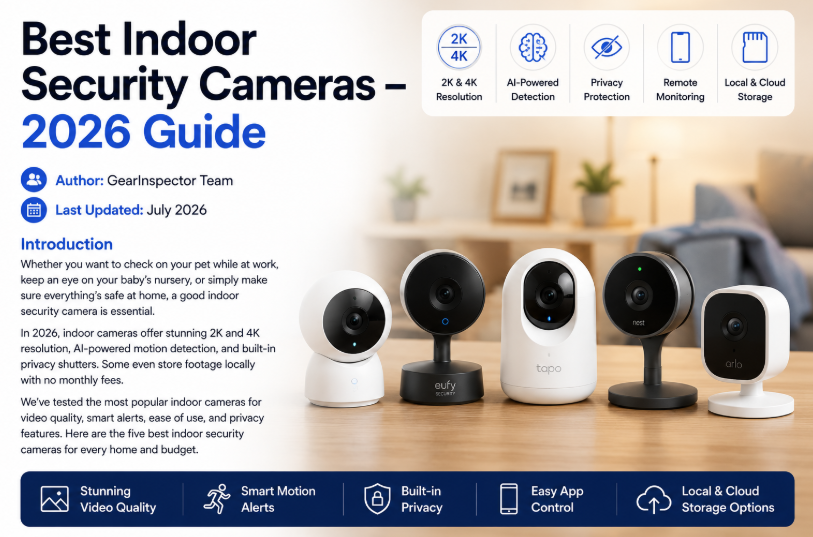
Best Indoor Security Cameras – 2026 Guide
Best Indoor Security Cameras of 2026: Top Picks for Every Home and Budget
Indoor security cameras have become smarter, sharper, and far more affordable than ever before. Whether you want to keep an eye on your pets while you're at work, monitor a baby's room, or simply add another layer of home security, today's cameras offer impressive features like AI motion detection, local video storage, two-way audio, and crystal-clear video.
The best part? You no longer need to pay expensive monthly subscription fees to enjoy useful smart features.
After comparing image quality, AI capabilities, privacy features, ease of use, and overall value, these are the best indoor security cameras you can buy in 2026.
Quick Picks
If you're in a hurry, here are our top recommendations.
| Category | Camera |
|---|---|
| Best Overall | Eufy Indoor Cam S350 |
| Best AI Features | Google Nest Cam (Indoor, Wired) |
| Best Budget Pick | Wyze Cam v4 |
| Best for Alexa Homes | Ring Indoor Cam (2nd Gen) |
| Best Value 2K Camera | TP-Link Tapo C120 |
Comparison Table
| Camera | Resolution | Pan/Tilt | AI Detection | Local Storage | Price |
|---|---|---|---|---|---|
| Eufy Indoor Cam S350 | Dual 4K + 2K | Yes | Person, Pet, Baby Cry | Yes | $79 |
| Google Nest Cam | 1080p HDR | No | Person, Pet, Vehicle | No | $99 |
| Wyze Cam v4 | 2.5K QHD | No | Person | Yes | $29 |
| Ring Indoor Cam (2nd Gen) | 1080p | No | Person* | No | $59 |
| TP-Link Tapo C120 | 2K QHD | Manual | Person, Pet, Motion | Yes | $34 |
*Recording requires Ring Protect.
1. Eufy Indoor Cam S350
Best Overall Indoor Security Camera
If you're looking for one camera that does almost everything exceptionally well, the Eufy Indoor Cam S350 is our top recommendation.
Unlike most indoor cameras that rely on a single lens, Eufy combines a stunning 4K wide-angle camera with a separate 2K telephoto lens. This dual-camera setup allows you to zoom in on faces or small details without losing image quality.
Its motorized design can rotate a full 360 degrees and tilt up to 135 degrees, automatically following movement throughout an entire room. That means one camera can often replace two fixed cameras.
Privacy is another major advantage. A physical lens cover blocks the camera whenever you don't want it recording, and footage can be stored locally on a microSD card or HomeBase without paying any monthly subscription.
What We Like
-
Outstanding 4K image quality
-
Dual-camera zoom system
-
Full 360° pan and tilt
-
Motion tracking
-
No subscription required
-
Physical privacy cover
Things to Consider
-
No Apple HomeKit support
-
AI detection isn't quite as fast as some cloud-based systems
Bottom Line
For most homeowners, this is the best indoor security camera available today. It delivers premium features without locking you into recurring subscription fees.
2. Google Nest Cam (Indoor, Wired)
Best AI Detection
Google has built one of the smartest indoor cameras available.
Instead of simply detecting motion, Nest can recognize people, pets, and vehicles using on-device AI. Even better, Google includes three hours of event history for free, something many competitors charge for.
Video quality tops out at 1080p with HDR, but Google's excellent image processing helps produce clear footage in both bright daylight and darker rooms.
If you subscribe to Nest Aware, you'll unlock familiar face recognition and 30 days of cloud recording.
Pros
-
Excellent AI detection
-
Free intelligent alerts
-
3-hour event history included
-
Beautiful minimalist design
-
Great Google Home integration
Cons
-
No physical privacy shutter
-
Lower resolution than 2K competitors
-
Wired only
Bottom Line
Google Nest is the smartest option for Google Home users who value accurate notifications more than ultra-high resolution.
3. Wyze Cam v4
Best Budget Indoor Camera
Few companies deliver better value than Wyze.
For around $29, the Wyze Cam v4 offers impressive 2.5K video, color night vision, free person detection, and local recording via microSD.
Despite its low price, setup is incredibly simple through the Wyze app, and the camera works with both Alexa and Google Assistant.
Optional Cam Plus plans add additional AI features like pet, package, and vehicle detection, but basic users can comfortably use the camera without paying anything.
Pros
-
Outstanding price
-
Sharp 2.5K video
-
Free person detection
-
Local recording support
-
Color night vision
Cons
-
No pan-and-tilt
-
No privacy shutter
-
App occasionally promotes other Wyze products
Bottom Line
If your budget is limited, nothing offers more features per dollar than the Wyze Cam v4.
4. Ring Indoor Cam (2nd Gen)
Best for Alexa Users
If your home already revolves around Alexa, Ring remains the easiest choice.
Just ask:
"Alexa, show me the living room."
Within seconds, your Echo Show or Fire TV displays the live camera feed.
Ring also includes a manual privacy shutter that physically blocks the camera whenever you're home.
The only downside is storage. Recording requires a Ring Protect subscription, making it one of the few cameras on this list that doesn't provide free local recording.
Pros
-
Excellent Alexa integration
-
Physical privacy shutter
-
Compact design
-
Reliable Wi-Fi performance
Cons
-
Subscription required for recordings
-
Limited to 1080p
-
No Google Assistant support
Bottom Line
Perfect for households already invested in Amazon's smart home ecosystem.
5. TP-Link Tapo C120
Best Value 2K Camera
The TP-Link Tapo C120 strikes an excellent balance between affordability and premium features.
It records crisp 2K video, supports local storage on microSD cards, includes free AI detection for people and pets, and features a built-in privacy cover.
While it doesn't offer automatic pan and tilt, its compact design makes it easy to place almost anywhere.
Pros
-
Sharp 2K video
-
Affordable price
-
Physical privacy cover
-
Free AI detection
-
Local storage support
Cons
-
Manual camera adjustment only
-
App isn't as polished as Google or Ring
Bottom Line
One of the best-value indoor cameras available for buyers who want excellent privacy without monthly fees.
Buying Guide: Choosing the Right Indoor Security Camera
Not every indoor camera is designed for the same type of home. Before making your decision, consider these important features.
Resolution
While 1080p is still common, 2K has become the sweet spot for most homeowners. It provides noticeably sharper images, especially when zooming in on faces or other details. If you want the best image quality available, a 4K camera like the Eufy S350 is worth considering.
Pan and Tilt
A fixed camera works well when monitoring a doorway or crib, but larger spaces benefit from motorized pan-and-tilt models that can automatically follow movement.
Storage Options
Many modern cameras support local recording using microSD cards, allowing you to avoid monthly subscription fees. Cloud storage remains convenient for remote access and backup, but it's no longer essential.
Privacy Features
If the camera will be placed in a bedroom or living room, choose one with a physical privacy shutter or lens cover. It's the simplest way to guarantee the camera isn't recording when you don't want it to.
Smart AI Detection
Today's best cameras can tell the difference between people, pets, vehicles, and even crying babies. Better AI means fewer false alerts and a much better overall experience.
Smart Home Compatibility
Choose a camera that matches your existing smart home setup:
-
Alexa users: Ring or Eufy
-
Google Home users: Google Nest or Tapo
-
Mixed ecosystem: Eufy or TP-Link Tapo
Subscription Costs
Before purchasing, check exactly what features require a monthly payment. Cameras like Eufy, Wyze, and Tapo offer excellent local recording without ongoing fees, while Ring relies heavily on its subscription service.
Our Final Recommendations
Every camera on this list performs well, but each excels in a different situation.
🏆 Best Overall: Eufy Indoor Cam S350 — premium image quality, dual cameras, pan-and-tilt tracking, and no monthly fees.
🧠 Best AI Experience: Google Nest Cam (Indoor) — incredibly accurate smart alerts with free event history.
💰 Best Budget Choice: Wyze Cam v4 — impressive 2.5K video and free person detection at an unbeatable price.
🏡 Best for Alexa Homes: Ring Indoor Cam (2nd Gen) — seamless Alexa integration and an effective physical privacy shutter.
⭐ Best Value: TP-Link Tapo C120 — affordable 2K recording, local storage, and privacy-focused features.
Frequently Asked Questions
Do indoor security cameras work at night?
Yes. Every camera in this guide includes infrared night vision, while some models also offer full-color night vision for improved detail in low-light conditions.
Can I use one as a baby monitor?
Absolutely. Cameras like the Eufy S350 even include baby-cry detection, making them excellent choices for nurseries.
Will the camera still record if my internet goes down?
If it supports local microSD storage, yes. Cameras from Eufy, Wyze, and TP-Link Tapo can continue recording locally even when your Wi-Fi connection is unavailable.
How many indoor cameras do I actually need?
Most households can start with a single camera covering the main living area or nursery. As your needs grow, you can easily add more cameras through the same mobile app.
Is it safe to install a camera in a bedroom?
Yes, provided you choose a model with a physical privacy shutter or lens cover. Closing the shutter when you're home ensures complete privacy, and it's always good practice to let family members or guests know when cameras are installed.

developeradmin
GearInspector contributor. Passionate about helping you make smarter buys.