Best Smart Home Devices for Beginners in 2026
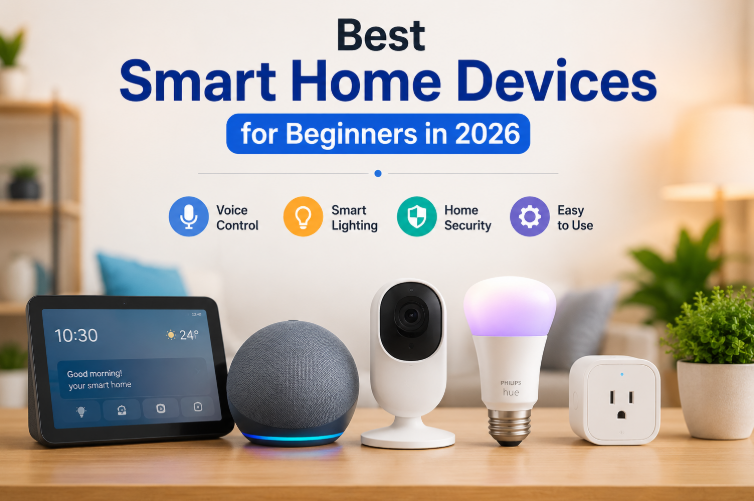
Best Smart Home Devices for Beginners in 2026
Smart homes are no longer just for tech enthusiasts. Thanks to affordable devices and easy setup, anyone can automate their home in just a few minutes. Whether you want to control lights with your voice, monitor your home while you're away, or simply make everyday appliances smarter, there's never been a better time to get started.
If you're new to smart home technology, choosing the right products can feel overwhelming. This guide highlights five beginner-friendly devices that are reliable, easy to install, and offer excellent value for money.
Quick Overview
| Product | Best For |
|---|---|
| Amazon Echo Dot (5th Gen) | Voice control and smart home hub |
| Philips Hue White Starter Kit | Smart lighting |
| TP-Link Kasa Smart Plug Mini | Turning ordinary appliances into smart devices |
| Wyze Cam v4 | Home security on a budget |
| Google Nest Hub (2nd Gen) | Smart home dashboard and display |
Product Comparison
| Product | Category | Key Feature | Voice Assistant | Approx. Price |
|---|---|---|---|---|
| Echo Dot (5th Gen) | Smart Speaker | Compact speaker with Alexa built in | Alexa | $49 |
| Philips Hue White Starter Kit | Smart Lighting | Hub plus two smart bulbs | Alexa, Google | $69 |
| TP-Link Kasa Smart Plug Mini | Smart Plug | No hub required, scheduling features | Alexa, Google | $19 |
| Wyze Cam v4 | Security Camera | 1080p video with color night vision | Alexa, Google | $35 |
| Nest Hub (2nd Gen) | Smart Display | Sleep tracking and home controls | Google Assistant | $99 |
Detailed Reviews
1. Amazon Echo Dot (5th Gen)
If you're buying your very first smart home device, the Echo Dot is one of the easiest places to start. Simply plug it in, connect it to Wi-Fi, and Alexa is ready to help.
Beyond answering questions and playing music, it becomes the central controller for your smart home. You can use voice commands to switch lights on or off, control smart plugs, set reminders, and even create automated routines.
Despite its compact size, the sound quality is surprisingly impressive, making it suitable for bedrooms, kitchens, or small living spaces.
Pros
-
Affordable price
-
Built-in temperature sensor
-
Excellent voice recognition
-
Simple setup
Cons
-
Audio quality isn't designed for serious music lovers
2. Philips Hue White Starter Kit
When people think about smart lighting, Philips Hue is usually the first name that comes to mind—and for good reason.
The starter kit includes two smart bulbs and the Hue Bridge, allowing you to control your lights from anywhere using the mobile app. You can dim lights, schedule them to turn on automatically, or control everything with your voice.
One of the biggest advantages is that you don't have to replace your existing wall switches or rewire your home.
Pros
-
Extremely reliable
-
Easy-to-use app
-
Expandable system
-
Excellent automation features
Cons
-
Requires the included Hue Bridge
3. TP-Link Kasa Smart Plug Mini
Not everything in your home needs to be replaced with a smart version.
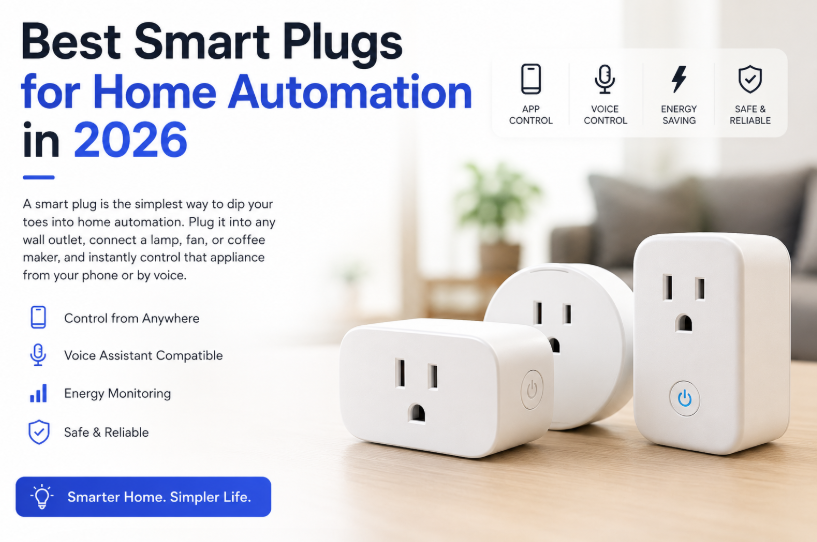
The Kasa Smart Plug Mini lets you turn ordinary appliances into smart devices. Plug in a fan, coffee maker, lamp, or heater, and you'll be able to control it from anywhere using your smartphone or voice assistant.
Scheduling features are especially useful for saving electricity and automating your daily routine.
Its compact design also means it won't block neighboring outlets.
Pros
-
Very affordable
-
No separate hub required
-
Supports Alexa and Google Assistant
-
Simple installation
Cons
-
Works only on 2.4GHz Wi-Fi networks
4. Wyze Cam v4
For homeowners looking to improve security without spending hundreds of dollars, the Wyze Cam v4 offers exceptional value.
It records in 1080p HD, includes impressive color night vision, and provides free rolling cloud storage for basic recordings. A built-in spotlight and siren also help deter unwanted visitors.
Installation takes only a few minutes, making it ideal for first-time users.
Pros
-
Outstanding value
-
Excellent night vision
-
Free cloud storage
-
Easy to mount
Cons
-
Advanced features require a subscription
5. Google Nest Hub (2nd Gen)
The Google Nest Hub is more than just a smart display.
It serves as a central dashboard for your smart home while also displaying photos, calendars, weather updates, YouTube videos, recipes, and more. One of its standout features is sleep sensing, allowing it to monitor your sleep without requiring a smartwatch or fitness tracker.
Placed beside your bed, it becomes both an alarm clock and a smart home controller.
Pros
-
Sleep tracking without wearables
-
Beautiful display
-
Excellent Google Assistant integration
-
Great for managing multiple smart devices
Cons
-
No camera for video calls
Tips Before You Buy
Choosing your first smart home device is easier if you keep a few things in mind.
Stick to One Ecosystem
Decide whether you prefer Amazon Alexa or Google Assistant. Although many devices support both, using a single ecosystem makes automation much simpler.
Know When You Need a Hub
Most modern smart devices connect directly to Wi-Fi. However, some lighting systems—such as Philips Hue—still use a dedicated hub for improved reliability and additional features.
Prioritize Security
Enable two-factor authentication on every smart home account you create. It's a simple step that greatly improves your home's digital security.
Start Small
There's no need to automate your entire home on day one. A smart speaker paired with a smart plug is enough to experience the convenience of voice-controlled automation. You can always expand later with lights, cameras, sensors, and displays.
Our Recommendation
If you're completely new to smart home technology, the Amazon Echo Dot (5th Gen) combined with the TP-Link Kasa Smart Plug Mini is easily the best starting point.
For less than $70, you'll be able to control appliances with your voice, create automated routines, and experience the convenience of a connected home. Once you're comfortable, adding smart lighting, security cameras, or a smart display becomes a natural next step.
Frequently Asked Questions
Do I need a separate app for every device?
Most smart devices require their own app during the initial setup. After linking them with Amazon Alexa or Google Home, however, you can control everything from a single app—or simply use voice commands.
Can these devices work together?
Absolutely. That's one of the biggest advantages of a smart home.
For example, you can create a bedtime routine where saying "Alexa, goodnight" automatically turns off your lights, switches off connected appliances, and arms your security camera—all with a single command.
My last Opinion
Building a smart home doesn't have to be expensive or complicated. Starting with a few well-chosen devices can make everyday tasks easier, improve your home's security, and save energy over time.
Whether you begin with a smart speaker, lighting, or a security camera, each device adds another layer of convenience. As your needs grow, your smart home can grow with you.

developeradmin
GearInspector contributor. Passionate about helping you make smarter buys.
Related Articles
Best Smart Light Bulbs Compared – 2026 Buying Guide
Jul 15, 2026