Common Online Security Mistakes That Put Your Business at Risk (2026 Guide)
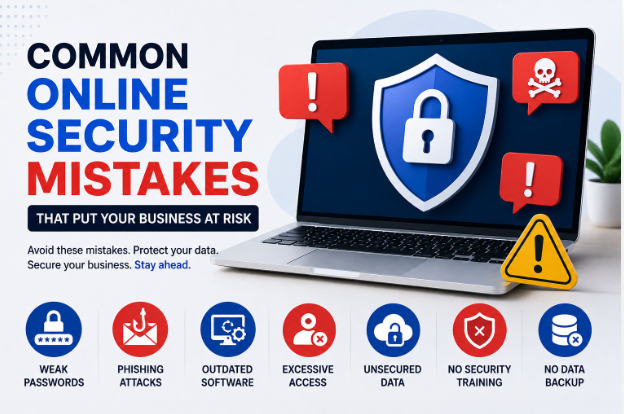
Common Online Security Mistakes That Put Your Business at Risk
In today's digital-first world, cybersecurity is no longer just an IT concern—it's a business necessity. Whether you run a small startup, an online store, or a growing enterprise, your business relies heavily on digital systems, cloud services, and internet-connected devices. While technology has made businesses more efficient than ever, it has also opened the door to increasingly sophisticated cyber threats.
The reality is that many successful cyberattacks aren't the result of advanced hacking techniques. Instead, they happen because businesses make simple but costly online security mistakes. Weak passwords, outdated software, poor employee awareness, and unsecured networks are often all it takes for cybercriminals to gain access to valuable business data.
The financial consequences of a cyberattack can be devastating. Businesses may suffer data breaches, operational downtime, legal penalties, damaged customer trust, and significant financial losses. Fortunately, most of these risks can be reduced by recognizing common security mistakes and taking proactive steps to avoid them.
This guide explores the most common online security mistakes that put businesses at risk and provides practical solutions to strengthen your organization's cybersecurity.
Why Online Security Matters for Every Business
Every business stores valuable digital information, including:
- Customer data
- Employee records
- Financial information
- Payment details
- Business contracts
- Intellectual property
- Marketing strategies
- Login credentials
- Cloud storage files
Cybercriminals target businesses of all sizes because this information can be sold, exploited, or used for financial fraud. Small businesses are particularly attractive targets because they often lack dedicated cybersecurity resources.
Investing in online security protects not only your business assets but also your reputation and customer relationships.
Mistake 1: Using Weak or Reused Passwords
One of the most common cybersecurity mistakes is relying on weak passwords or reusing the same password across multiple accounts.
Examples of poor passwords include:
- password123
- companyname2026
- admin123
- 12345678
If one account is compromised in a data breach, attackers often try the same credentials on other services.
How to Avoid It
- Create unique passwords for every account.
- Use at least 16-character passwords when possible.
- Include uppercase letters, lowercase letters, numbers, and symbols.
- Use a trusted password manager to generate and store strong passwords securely.
Mistake 2: Not Enabling Multi-Factor Authentication (MFA)
Passwords alone are no longer enough to protect business accounts.
Without MFA, a stolen password may be all an attacker needs to access:
- Business email
- Cloud storage
- Accounting software
- CRM systems
- Payment platforms
Best Practice
Enable Multi-Factor Authentication on:
- Email accounts
- Banking platforms
- Microsoft and Google accounts
- Cloud applications
- Admin dashboards
- Social media accounts
Authentication apps or hardware security keys are generally more secure than SMS-based verification.
Mistake 3: Ignoring Software Updates
Many cyberattacks exploit known software vulnerabilities that have already been patched by vendors.
Delaying updates leaves your business exposed.
Common software that requires regular updates includes:
- Operating systems
- Web browsers
- Antivirus software
- Firewalls
- Business applications
- Content management systems (CMS)
- Plugins and extensions
Best Practice
Enable automatic updates whenever possible and establish a regular schedule for checking systems that require manual updates.
Mistake 4: Falling for Phishing Attacks
Phishing remains one of the leading causes of business data breaches.
Modern phishing emails often appear highly convincing. They may imitate trusted companies, business partners, or even executives within your organization.
Common signs include:
- Urgent requests
- Unexpected invoices
- Fake login pages
- Suspicious attachments
- Requests for confidential information
How to Reduce Risk
- Verify unexpected requests through another communication channel.
- Never click suspicious links without checking the destination.
- Train employees to recognize phishing attempts.
- Report suspicious emails immediately.
Mistake 5: Giving Employees Too Much Access
Not every employee needs access to every system.
Excessive permissions increase the risk of accidental data exposure or misuse.
Follow the Principle of Least Privilege
Employees should only have access to the information and systems required for their specific roles.
Review user permissions regularly, especially after promotions or role changes.
Mistake 6: Neglecting Employee Cybersecurity Training
Technology alone cannot stop cyber threats if employees are unaware of security risks.
Human error remains one of the biggest causes of cyber incidents.
Employees should understand:
- Password security
- Safe internet browsing
- Phishing awareness
- Data handling procedures
- Secure file sharing
- Social engineering tactics
Regular training helps build a strong security culture.
Mistake 7: Using Unsecured Public Wi-Fi
Employees working remotely often connect to public Wi-Fi in cafes, airports, and hotels.
These networks may expose sensitive business communications to attackers.
Safer Alternatives
- Use a trusted VPN.
- Connect through a mobile hotspot when handling sensitive information.
- Avoid accessing financial systems on public networks.
Mistake 8: Failing to Back Up Important Data
Many businesses only realize the importance of backups after losing valuable data.
Data loss may result from:
- Ransomware
- Hardware failure
- Human error
- Natural disasters
- Accidental deletion
Follow the 3-2-1 Backup Rule
Maintain:
- Three copies of important data
- Two different storage types
- One secure offsite or cloud backup
Regularly test backups to ensure they can be restored successfully.
Mistake 9: Ignoring Endpoint Security
Every laptop, smartphone, desktop, and tablet connected to your business network is a potential entry point for attackers.
Protect endpoints by:
- Installing antivirus software
- Enabling device encryption
- Using screen locks
- Keeping operating systems updated
- Monitoring device activity
Lost or stolen devices should be remotely wiped whenever possible.
Mistake 10: Not Monitoring Business Accounts
Many businesses discover unauthorized access weeks or months after it occurs.
Regular monitoring helps detect suspicious activity early.
Monitor:
- Login history
- Financial transactions
- Cloud storage activity
- Email forwarding rules
- Administrator changes
Set up automatic security alerts whenever available.
Mistake 11: Sharing Sensitive Information Too Freely
Businesses often overshare information through:
- Social media
- Company websites
- Public documents
- Job postings
Attackers can use publicly available information to launch targeted attacks.
Only publish information that is genuinely necessary.
Mistake 12: Poor Cloud Security Practices
Cloud services offer excellent convenience, but they must be configured securely.
Common mistakes include:
- Publicly accessible storage
- Weak administrator passwords
- Disabled MFA
- Excessive user permissions
- Misconfigured sharing settings
Regularly review cloud security settings and access controls.
Mistake 13: Ignoring Third-Party Risks
Vendors and service providers may have access to your systems or data.
If their security is weak, your business could also be affected.
Before working with third parties:
- Review their security policies.
- Understand how they protect customer data.
- Limit their access to only what is necessary.
- Remove access when partnerships end.
Mistake 14: Not Having an Incident Response Plan
Even well-protected businesses can experience cyber incidents.
Without a clear response plan, valuable time may be lost.
Your incident response plan should include:
- Who to notify
- How to isolate affected systems
- Backup restoration procedures
- Customer communication guidelines
- Legal and regulatory reporting requirements
Practice the plan regularly through tabletop exercises.
Mistake 15: Believing "We're Too Small to Be Targeted"
Many small business owners assume cybercriminals only target large corporations.
In reality, small businesses are often easier targets because they may have fewer security controls.
Every business should take cybersecurity seriously, regardless of size or industry.
Best Practices to Improve Business Cybersecurity
Adopting strong security habits can significantly reduce your risk.
Consider implementing the following:
- Use unique passwords for every account.
- Enable Multi-Factor Authentication.
- Update software promptly.
- Train employees regularly.
- Encrypt sensitive business data.
- Limit employee access based on job roles.
- Perform regular backups.
- Use endpoint protection software.
- Secure cloud storage.
- Monitor systems continuously.
- Create an incident response plan.
- Conduct regular security audits.
Cybersecurity should be viewed as an ongoing process rather than a one-time task.
Emerging Cybersecurity Threats in 2026
Businesses should also prepare for evolving threats, including:
AI-Powered Phishing
Attackers now use artificial intelligence to craft convincing emails, fake customer support chats, and personalized messages that are harder to detect.
Deepfake Impersonation
Criminals can generate realistic voice or video content to impersonate executives, suppliers, or clients and trick employees into transferring money or sharing confidential information.
Supply Chain Attacks
Rather than attacking your business directly, hackers may compromise trusted software vendors or service providers to gain access to multiple organizations at once.
Ransomware Evolution
Modern ransomware attacks often involve both encrypting data and threatening to leak sensitive information unless a ransom is paid.
Staying informed about emerging threats helps businesses adapt their security strategies.
Frequently Asked Questions (FAQs)
Why is cybersecurity important for small businesses?
Small businesses often have valuable customer and financial data but fewer security resources, making them attractive targets for cybercriminals.
What is the biggest cybersecurity mistake businesses make?
Using weak or reused passwords is one of the most common and preventable mistakes. Combined with a lack of Multi-Factor Authentication, it significantly increases the risk of unauthorized access.
How often should employees receive cybersecurity training?
At least once a year is a good baseline, but organizations should also provide refresher sessions whenever new threats emerge or major systems change.
Can antivirus software protect my business completely?
No. Antivirus software is only one layer of defense. Effective cybersecurity also requires secure passwords, employee training, regular updates, backups, and continuous monitoring.
How can businesses prepare for cyberattacks?
Develop an incident response plan, perform regular backups, enable MFA, monitor systems, and conduct periodic security assessments to identify and address vulnerabilities before attackers can exploit them.
Final Thoughts
Online security is no longer optional for modern businesses—it's a critical part of protecting operations, customers, and long-term success. While cyber threats continue to evolve, many successful attacks still rely on simple mistakes such as weak passwords, outdated software, excessive user permissions, and a lack of employee awareness.
The good news is that these risks are largely preventable. By implementing strong password policies, enabling Multi-Factor Authentication, keeping software up to date, training employees, securing cloud environments, and preparing for potential incidents, businesses can dramatically improve their cybersecurity posture.
Remember, cybersecurity isn't a one-time project. It requires continuous attention, regular reviews, and a culture where everyone understands their role in keeping business data safe. Investing in security today can save your business from costly disruptions, legal issues, and reputational damage tomorrow.

developeradmin
GearInspector contributor. Passionate about helping you make smarter buys.