Cybersecurity for Small Businesses: A Complete Beginner's Guide (2026)
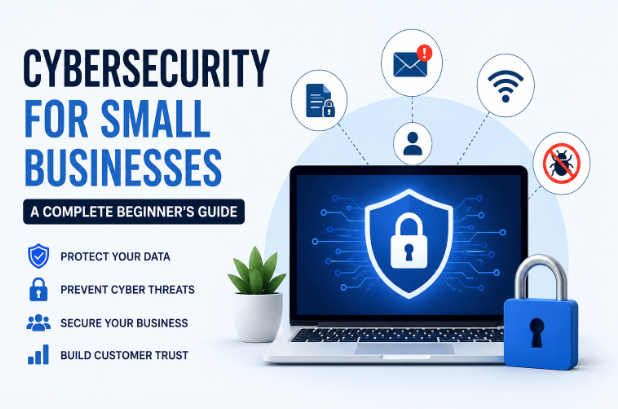
Cybersecurity for Small Businesses: A Complete Beginner's Guide
Running a small business has never been more exciting—or more challenging. Technology allows businesses to reach customers worldwide, automate operations, and compete with larger companies. However, the same technology also exposes businesses to cyber threats that can damage finances, reputation, and customer trust.
Many small business owners mistakenly believe hackers only target large corporations. In reality, small businesses are often the preferred targets because they typically have weaker security measures and fewer IT resources.
The good news is that you don't need a massive budget or an expert cybersecurity team to significantly improve your security. By following practical cybersecurity best practices, even beginners can create strong protection against the most common threats.
This complete beginner's guide explains everything you need to know about cybersecurity for small businesses in 2026.
What Is Cybersecurity?
Cybersecurity is the practice of protecting computers, smartphones, servers, networks, software, and data from unauthorized access, cyberattacks, or digital theft.
It involves technologies, policies, and habits that help prevent criminals from:
- Stealing sensitive information
- Locking your files with ransomware
- Hijacking business accounts
- Installing malware
- Disrupting business operations
- Damaging customer trust
Simply put, cybersecurity helps keep your business running safely.
Why Cybersecurity Matters for Small Businesses
Many entrepreneurs think:
"My business is too small for hackers."
Unfortunately, cybercriminals don't think that way.
Small businesses often:
- Store customer information
- Accept online payments
- Use email for communication
- Manage financial records
- Have employee login credentials
- Use cloud storage
All of these are valuable targets.
One successful attack can result in:
- Financial loss
- Legal problems
- Business downtime
- Lost customer trust
- Reputation damage
- Data recovery costs
For some businesses, a major cyberattack can even force permanent closure.
Common Cyber Threats Every Small Business Should Know
Understanding common threats is the first step toward prevention.
1. Phishing Attacks
Phishing is one of the most common cybercrimes.
Hackers send fake emails pretending to be:
- Banks
- Delivery companies
- Microsoft
- PayPal
- Business partners
Their goal is to trick employees into:
- Clicking malicious links
- Downloading infected files
- Revealing passwords
- Sending money
2. Malware
Malware refers to malicious software designed to damage computers.
Examples include:
- Viruses
- Worms
- Spyware
- Trojans
- Keyloggers
Malware can steal passwords, monitor activity, or destroy important files.
3. Ransomware
Ransomware encrypts your files and demands payment to unlock them.
Businesses often lose:
- Customer databases
- Accounting files
- Project documents
- Inventory records
Even paying the ransom does not guarantee file recovery.
4. Password Attacks
Weak passwords remain one of the biggest security risks.
Hackers use automated tools to guess passwords like:
- 123456
- password
- admin123
- companyname2026
Strong passwords make these attacks much more difficult.
5. Data Breaches
A data breach occurs when unauthorized individuals gain access to confidential information.
Examples include:
- Customer names
- Phone numbers
- Credit card information
- Employee records
- Business documents
6. Insider Threats
Not every threat comes from outside.
Employees can accidentally:
- Share confidential information
- Click phishing emails
- Install unsafe software
- Misconfigure systems
Training employees is essential.
The Biggest Cybersecurity Mistakes Small Businesses Make
Many businesses unknowingly create security risks.
Common mistakes include:
- Using weak passwords
- Never updating software
- Ignoring backups
- Sharing passwords
- Using unsecured Wi-Fi
- Installing pirated software
- Not training employees
- Disabling security features
- Giving employees unnecessary access
- Never monitoring suspicious activity
Avoiding these mistakes greatly improves security.
Essential Cybersecurity Best Practices
Use Strong Passwords
Every account should have:
- At least 14–16 characters
- Uppercase letters
- Lowercase letters
- Numbers
- Symbols
Avoid using birthdays or company names.
A password manager can generate and store secure passwords.
Enable Multi-Factor Authentication (MFA)
MFA requires a second verification step after entering a password.
Examples include:
- Authentication apps
- Security keys
- SMS verification (less secure than apps but better than passwords alone)
Even if a password is stolen, MFA adds another layer of protection.
Keep Software Updated
Software updates often fix security vulnerabilities.
Always update:
- Windows
- macOS
- Mobile devices
- Web browsers
- Business software
- Antivirus programs
- Plugins
- Website platforms
Enable automatic updates whenever possible.
Install Reliable Antivirus Software
Modern antivirus software protects against:
- Malware
- Ransomware
- Spyware
- Dangerous downloads
- Suspicious websites
Ensure real-time protection is enabled.
Back Up Your Data Regularly
Backups are your best defense against ransomware and hardware failure.
Follow the 3-2-1 backup rule:
- 3 copies of your data
- 2 different storage types
- 1 offsite or cloud backup
Test backups periodically to ensure they can be restored.
Secure Your Wi-Fi Network
Use:
- WPA3 encryption (or WPA2 if WPA3 is unavailable)
- A strong router password
- A unique Wi-Fi password
- Separate guest Wi-Fi for visitors
Never leave default router credentials unchanged.
Train Employees
Employees are often the first line of defense.
Teach them how to:
- Recognize phishing emails
- Verify suspicious requests
- Create strong passwords
- Report unusual activity
- Handle sensitive customer information
Regular awareness training can prevent costly mistakes.
Protecting Your Business Email
Business email is one of the most common attack targets.
Best practices include:
- Enable MFA
- Use spam filters
- Avoid clicking unknown links
- Verify payment requests
- Double-check email addresses
- Report suspicious emails immediately
Email security alone can prevent many cyber incidents.
Website Security Tips
If your business has a website, security is essential.
Protect it by:
- Installing SSL certificates (HTTPS)
- Updating your CMS and plugins
- Removing unused themes and plugins
- Using strong admin passwords
- Enabling website firewalls
- Backing up your website regularly
- Monitoring for unusual login attempts
Cloud Security Basics
Many businesses use cloud services for storage and collaboration.
To stay secure:
- Use trusted providers
- Enable MFA
- Limit user permissions
- Encrypt sensitive files
- Monitor account activity
- Revoke access for former employees promptly
Cloud services are generally secure, but proper account management remains your responsibility.
Mobile Device Security
Employees often access business data from smartphones and tablets.
Protect these devices by:
- Using screen locks
- Enabling biometric authentication
- Keeping operating systems updated
- Installing apps only from official stores
- Encrypting device storage
- Enabling remote wipe features
Lost or stolen devices should be removable from business accounts immediately.
Safe Remote Work Practices
Remote work increases flexibility but also introduces security risks.
Help protect remote teams by:
- Using a reputable VPN on untrusted networks
- Avoiding public Wi-Fi for sensitive tasks
- Keeping devices updated
- Locking screens when away
- Using company-approved collaboration tools
- Separating work and personal accounts when possible
How to Create a Simple Cybersecurity Policy
Every small business should have a basic written security policy.
Include rules for:
- Password creation
- Device usage
- Software installation
- Remote work
- Data sharing
- Backup procedures
- Incident reporting
- Employee access permissions
Even a one-page policy can improve consistency and accountability.
What to Do If Your Business Is Hacked
If you suspect a cyberattack:
- Disconnect affected devices from the internet.
- Change compromised passwords immediately.
- Enable MFA where it is not already active.
- Restore data from clean backups if necessary.
- Scan systems with updated security software.
- Notify affected customers if required by applicable laws.
- Document the incident and review what happened.
- Strengthen security to prevent similar attacks.
Responding quickly can reduce damage and speed recovery.
Affordable Cybersecurity Tools for Small Businesses
You don't need enterprise-level solutions to improve your defenses.
Useful categories include:
- Password managers
- Antivirus and endpoint protection
- Multi-factor authentication apps
- Cloud backup services
- VPN services
- Email security tools
- Firewall solutions
- Website security plugins
- Network monitoring tools
Choose tools that fit your business size and budget, and keep them properly configured and updated.
Cybersecurity Checklist for Beginners
Use this checklist to improve your security posture:
- ✅ Use strong, unique passwords
- ✅ Enable MFA on important accounts
- ✅ Update software regularly
- ✅ Install reputable antivirus protection
- ✅ Back up critical business data
- ✅ Secure your Wi-Fi network
- ✅ Train employees to spot phishing
- ✅ Protect your website with HTTPS
- ✅ Limit user access to necessary resources
- ✅ Monitor accounts for suspicious activity
- ✅ Create a simple incident response plan
- ✅ Review your security practices regularly
Future Cybersecurity Trends
Cybersecurity continues to evolve alongside technology.
Businesses should expect:
- AI-powered cyberattacks
- AI-assisted threat detection
- Stronger identity verification
- Increased ransomware sophistication
- More cloud security solutions
- Greater emphasis on zero-trust security models
- Growing cybersecurity regulations and compliance requirements
Staying informed and updating your defenses regularly will help you adapt to these changes.
Frequently Asked Questions (FAQs)
Is cybersecurity expensive for small businesses?
Not necessarily. Many effective security measures—such as strong passwords, MFA, software updates, and employee training—are low-cost or free. Start with the basics and expand as your business grows.
What is the biggest cybersecurity risk for small businesses?
Phishing remains one of the most significant risks because it relies on human error rather than technical vulnerabilities.
How often should I back up business data?
Critical business data should be backed up automatically every day. Businesses with frequent changes may require more frequent backups.
Can antivirus software stop every cyberattack?
No. Antivirus is an important layer of defense, but it should be combined with software updates, MFA, secure backups, employee training, and good security practices.
Do very small businesses need cybersecurity?
Yes. Even solo entrepreneurs and small teams store valuable information and can be targeted by cybercriminals.
Conclusion
Cybersecurity is no longer optional for small businesses. As cyber threats continue to evolve in 2026, even the smallest organizations need a proactive approach to protecting their systems, data, and customers.
The encouraging news is that effective cybersecurity doesn't require advanced technical expertise. By adopting strong passwords, enabling multi-factor authentication, keeping software up to date, training employees, maintaining reliable backups, and following basic security best practices, you can dramatically reduce your risk.
Think of cybersecurity as an ongoing business habit rather than a one-time project. Regularly reviewing your defenses, staying informed about new threats, and fostering a security-conscious culture will help your business remain resilient and trustworthy. In today's digital world, investing in cybersecurity is an investment in your company's long-term success, reputation, and growth.

developeradmin
GearInspector contributor. Passionate about helping you make smarter buys.