How to Build a Website for Your Business: A Beginner's Guide (2026)
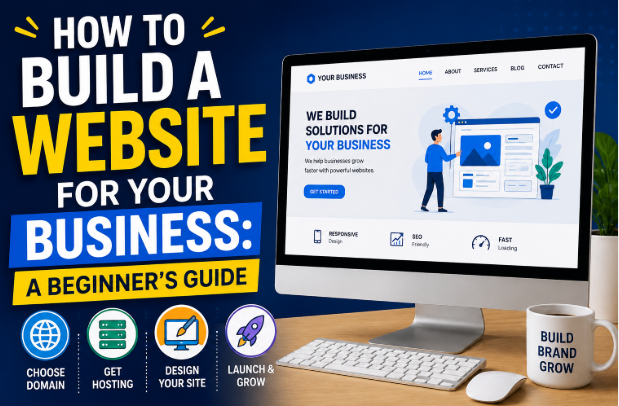
How to Build a Website for Your Business: A Beginner's Guide
In today's digital world, having a website is no longer optional for businesses—it's essential. Whether you own a small local shop, run a freelance business, sell products online, or offer professional services, your website serves as your digital storefront. It's often the first impression potential customers have of your brand.
The good news is that building a business website in 2026 is easier than ever. You no longer need to know how to code or hire an expensive web developer to create a professional-looking website. Modern website builders, content management systems, and AI-powered design tools make it possible for beginners to launch a website within a few hours.
This comprehensive guide will walk you through every step of creating a business website that looks professional, attracts visitors, and helps convert them into paying customers.
Why Every Business Needs a Website
Many people search online before making a purchase or contacting a business. Without a website, potential customers may question your credibility or choose a competitor instead.
A professional website helps you:
- Build trust and credibility
- Reach customers 24/7
- Showcase your products or services
- Generate leads and sales
- Improve your online visibility
- Support your social media marketing
- Strengthen your brand identity
Whether your business is online or offline, a website gives customers a reliable place to learn about what you offer.
Step 1: Define Your Website's Purpose
Before you start building, decide what you want your website to achieve.
Common business website goals include:
- Selling products
- Booking appointments
- Generating leads
- Displaying a portfolio
- Sharing company information
- Publishing helpful blog content
- Providing customer support
Knowing your goal will help you choose the right design and features.
Step 2: Choose a Domain Name
Your domain name is your website's online address.
Examples include:
- yourbusiness.com
- yourbrand.net
- yourcompany.org
A good domain name should be:
- Short
- Easy to spell
- Easy to remember
- Relevant to your business
- Free of unnecessary numbers or symbols
Whenever possible, choose a .com domain because it is widely recognized and trusted.
Step 3: Select Reliable Web Hosting
Web hosting is the service that stores your website files and makes them accessible online.
When choosing a hosting provider, consider:
- Fast loading speed
- High uptime
- Strong security
- Daily backups
- Customer support
- Easy WordPress installation
- Affordable pricing
Reliable hosting improves both user experience and search engine rankings.
Step 4: Choose the Right Website Platform
Several platforms make website creation simple.
WordPress
WordPress powers millions of websites worldwide and is an excellent choice for business owners.
Advantages include:
- Highly customizable
- SEO-friendly
- Thousands of themes
- Large plugin library
- Suitable for blogs, business sites, and online stores
Website Builders
Drag-and-drop builders are ideal for beginners who want a faster setup.
They usually include:
- Hosting
- Templates
- Security
- Updates
- Easy editing tools
These platforms require little technical knowledge.
Step 5: Pick a Professional Design
Your website design should reflect your brand.
Keep it:
- Clean
- Modern
- Mobile-friendly
- Fast
- Easy to navigate
Avoid cluttered layouts and excessive animations.
A simple design often performs better than an overly complicated one.
Step 6: Create Essential Pages
Every business website should include several core pages.
Home Page
Introduce your business and clearly explain what you offer.
Include:
- Headline
- Short description
- Call-to-action
- Customer benefits
About Page
Tell visitors:
- Who you are
- Your mission
- Your experience
- Why customers should trust you
People like doing business with real people.
Services or Products Page
Clearly describe:
- What you sell
- Pricing (if appropriate)
- Features
- Benefits
Use high-quality images whenever possible.
Contact Page
Make it easy for customers to reach you.
Include:
- Contact form
- Email address
- Phone number
- Business hours
- Location (if applicable)
Blog
A blog helps attract visitors through search engines.
Write articles that answer common customer questions and provide useful information.
Step 7: Write High-Quality Content
Good content builds trust and improves SEO.
Focus on:
- Clear headlines
- Short paragraphs
- Helpful information
- Natural keywords
- Simple language
Always write for people first and search engines second.
Step 8: Optimize for Mobile Devices
Most internet users browse on smartphones.
Your website should:
- Load quickly
- Display correctly on all screen sizes
- Have readable text
- Use large buttons
- Offer easy navigation
A mobile-friendly website improves both user experience and search rankings.
Step 9: Improve Website Speed
Visitors expect websites to load quickly.
Ways to improve speed include:
- Compress images
- Use caching
- Choose quality hosting
- Remove unnecessary plugins
- Minify CSS and JavaScript
Fast websites keep visitors engaged and reduce bounce rates.
Step 10: Learn Basic SEO
Search Engine Optimization (SEO) helps your website appear in search results.
Important SEO practices include:
Keyword Research
Identify the phrases your target audience searches for.
Examples:
- business website guide
- how to build a website
- beginner website tutorial
On-Page SEO
Optimize:
- Title tags
- Meta descriptions
- Headings
- Image alt text
- Internal links
Technical SEO
Ensure:
- Fast loading speed
- Secure HTTPS connection
- Mobile responsiveness
- XML sitemap
- Clean URL structure
Step 11: Add Trust Signals
Customers are more likely to buy from businesses they trust.
Include:
- Customer reviews
- Testimonials
- Certifications
- Awards
- Secure payment badges
- Privacy policy
- Terms and conditions
These elements help increase confidence in your brand.
Step 12: Secure Your Website
Website security protects your business and customers.
Essential security measures include:
- SSL certificate
- Strong passwords
- Two-factor authentication
- Regular updates
- Automatic backups
- Malware scanning
Keeping your site secure reduces the risk of cyberattacks.
Step 13: Connect Analytics
Analytics help you understand how visitors use your website.
Track:
- Traffic sources
- Popular pages
- Visitor behavior
- Conversions
- Bounce rate
These insights help you improve your website over time.
Step 14: Promote Your Website
Launching your website is only the beginning.
Promote it through:
- Search engine optimization
- Social media
- Email marketing
- Online directories
- Guest blogging
- Video content
- Digital advertising
Consistent promotion helps attract new visitors and customers.
Common Website Mistakes to Avoid
Many beginners make avoidable mistakes.
These include:
- Choosing a confusing domain name
- Using poor-quality images
- Ignoring mobile optimization
- Publishing thin content
- Having slow page speeds
- Forgetting contact information
- Skipping SEO
- Using too many plugins
- Not updating the website regularly
Avoiding these mistakes will improve both user experience and search performance.
Essential Features Every Business Website Should Have
Your website should include:
- Professional logo
- Clear navigation menu
- Contact information
- Call-to-action buttons
- Contact form
- Fast loading speed
- SSL security
- Mobile responsiveness
- Blog section
- Social media links
- Privacy policy
- Search functionality (for larger sites)
These features create a better experience for visitors.
Website Maintenance Tips
Building your website is only the first step.
Maintain it by:
- Updating software regularly
- Backing up your site
- Monitoring security
- Refreshing outdated content
- Publishing new blog posts
- Checking for broken links
- Reviewing analytics
Regular maintenance keeps your website secure and competitive.
Frequently Asked Questions (FAQs)
Can I build a business website without coding?
Yes. Modern website builders and WordPress allow beginners to create professional websites without writing code.
How much does a business website cost?
Costs vary depending on your needs. A basic website may only require a domain name, hosting, and a theme, while more advanced websites with e-commerce or custom features will cost more.
How long does it take to build a website?
A simple business website can often be completed within a few days. Larger websites with custom content and advanced functionality may take several weeks.
Do I need a blog for my business website?
A blog is highly recommended because it helps improve SEO, builds authority, and provides useful information for potential customers.
Can I update my website later?
Absolutely. One of the advantages of modern website platforms is that you can continually update content, add pages, improve designs, and expand features as your business grows.
Final Thoughts
Creating a business website in 2026 is more accessible than ever. With the right planning, a reliable platform, quality content, and basic SEO knowledge, even complete beginners can build a professional website that supports long-term business growth.
Remember that your website is more than just an online brochure—it's a powerful marketing tool that works for your business around the clock. Focus on providing value, making navigation simple, and delivering a great user experience. As your business grows, continue improving your website to meet customer needs and stay competitive in the digital marketplace.
The best time to build your business website is today. Every day your business is online is another opportunity to reach new customers, strengthen your brand, and grow your success.

developeradmin
GearInspector contributor. Passionate about helping you make smarter buys.