Password Managers Explained: Are They Really Safe to Use? (2026 Guide)
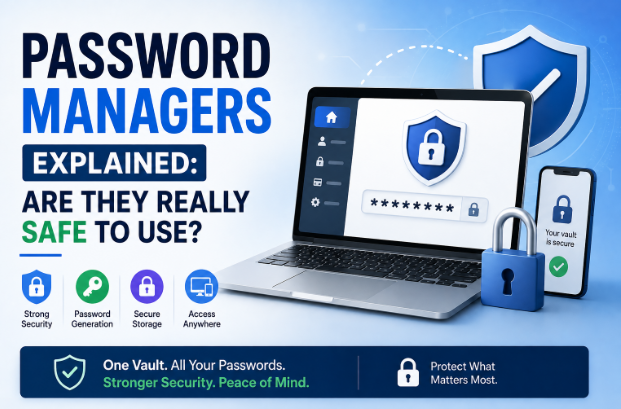
Password Managers Explained: Are They Really Safe to Use?
If you've ever struggled to remember dozens of passwords, you're not alone. Between online banking, email, social media, shopping websites, streaming services, work accounts, and cloud storage, the average internet user manages hundreds of online accounts. Remembering a unique, strong password for each one is nearly impossible without help.
That's where password managers come in.
Password managers have become one of the most recommended cybersecurity tools for both individuals and businesses. However, many people still hesitate to use them because they wonder, "Is it really safe to store all my passwords in one place?"
It's a reasonable question.
This guide explains exactly how password managers work, their advantages and disadvantages, common security myths, and whether they're truly safe to use in 2026.
What Is a Password Manager?
A password manager is a secure application that stores, organizes, and protects your login credentials inside an encrypted digital vault.
Instead of remembering dozens or even hundreds of passwords, you only need to remember one strong master password (or use a passkey or biometric authentication).
Modern password managers can also:
- Generate strong passwords
- Automatically fill login forms
- Store payment cards securely
- Save secure notes
- Protect important documents
- Alert you if passwords appear in known data breaches
- Sync passwords across multiple devices
Think of a password manager as a digital safe for your online identity.
Why Passwords Alone Are No Longer Enough
Many people still make dangerous password mistakes, including:
- Reusing the same password across multiple websites
- Using short or predictable passwords
- Including birthdays or names
- Saving passwords in web browsers without additional protection
- Writing passwords on paper or in unencrypted files
If one website suffers a data breach, attackers often try those same credentials on many other services. This tactic, known as credential stuffing, succeeds because password reuse is common.
A password manager helps eliminate this risk by creating a unique password for every account.
How Does a Password Manager Work?
Password managers use strong encryption to secure your information before it leaves your device.
The basic process looks like this:
- You create a master password.
- The password manager encrypts your password vault.
- Your passwords are stored in encrypted form.
- Only the correct master password, passkey, or approved authentication method can unlock the vault.
- When you visit a website, the password manager can automatically fill your credentials.
Because the data is encrypted, even the service provider generally cannot read your stored passwords.
What Is Encryption?
Encryption converts readable information into unreadable data that can only be unlocked with the correct cryptographic key.
Without that key, stolen encrypted data is effectively useless to attackers.
This is one of the primary reasons password managers are considered secure.
Are Password Managers Really Safe?
For most users, yes.
Cybersecurity experts generally agree that using a reputable password manager is far safer than reusing passwords or creating weak ones.
No security solution is completely risk-free, but password managers dramatically reduce many of the most common password-related threats.
The greatest remaining risk is often poor user practices, such as choosing a weak master password or falling for phishing attacks.
Benefits of Using a Password Manager
1. Strong, Unique Passwords
Password managers can generate long, random passwords that are difficult to guess or crack.
Example:
vJ8#Pq4!Lm2$Rt9@Wx6
You never need to memorize these passwords because the manager stores them securely.
2. Protection Against Password Reuse
Every account should have its own password.
If one service is compromised, your other accounts remain protected.
3. Faster Logins
Password managers automatically fill login forms, saving time while reducing typing errors.
4. Secure Password Sharing
Many password managers allow businesses and families to share credentials securely without revealing the actual password.
5. Breach Monitoring
Many services monitor known data breaches and notify users if stored credentials may have been exposed, allowing quick password changes.
6. Multi-Device Synchronization
Most modern password managers work across:
- Windows
- macOS
- Linux
- Android
- iPhone
- Tablets
- Web browsers
This keeps your passwords available wherever you need them.
Common Myths About Password Managers
Myth 1: "If the Password Manager Is Hacked, Everything Is Lost."
Reputable password managers encrypt your vault using strong cryptography. While no system is immune to attacks, encrypted vaults are designed so that attackers cannot easily read the stored passwords without the correct authentication.
Myth 2: "I Can Remember My Passwords."
Most people cannot safely remember unique, complex passwords for dozens or hundreds of accounts. This often leads to password reuse or predictable passwords, both of which increase risk.
Myth 3: "Saving Passwords in My Browser Is the Same Thing."
Browser-based password storage is convenient but typically offers fewer dedicated security features than a full password manager, such as security audits, breach alerts, secure sharing, and advanced access controls.
Myth 4: "Password Managers Are Only for Businesses."
Anyone with multiple online accounts can benefit, including students, freelancers, families, and retirees.
Are There Any Risks?
Like any security tool, password managers have some risks.
Weak Master Password
A weak master password reduces the security of your entire vault.
Choose a long, unique passphrase that is easy for you to remember but difficult for others to guess.
Phishing Attacks
Attackers may create fake password manager login pages to steal your master password.
Always verify website addresses before signing in.
Lost Master Password
Many password managers cannot recover your master password because they do not store it in readable form.
Keep recovery methods updated and understand your provider's recovery options.
Infected Devices
If your computer is compromised by malware, attackers may attempt to capture passwords after you unlock your vault.
Keep devices updated, use reputable security software, and avoid downloading software from untrusted sources.
Best Practices for Using a Password Manager
To maximize security:
- Use a strong master password or passphrase.
- Enable Multi-Factor Authentication (MFA).
- Keep your password manager updated.
- Lock your vault when away from your device.
- Review breach alerts promptly.
- Replace reused passwords with unique ones.
- Regularly audit weak or old passwords.
- Never share your master password.
Password Managers vs. Remembering Passwords
| Feature | Password Manager | Remembering Passwords |
|---|---|---|
| Unique passwords | ✅ | Usually No |
| Strong passwords | ✅ | Often Weak |
| Easy access | ✅ | Limited |
| Breach monitoring | ✅ | ❌ |
| Secure sharing | ✅ | ❌ |
| Password generation | ✅ | ❌ |
For most users, password managers provide both stronger security and greater convenience.
Should Businesses Use Password Managers?
Absolutely.
Organizations often manage hundreds or thousands of credentials for:
- Email systems
- Cloud services
- Servers
- Customer platforms
- Financial software
- Social media accounts
- Collaboration tools
A business password manager helps enforce strong password policies, manage employee access, securely share credentials, and revoke access when employees leave.
The Future of Password Managers
Password technology continues to evolve.
Many password managers now support:
- Passkeys
- Biometric authentication
- Hardware security keys
- AI-assisted security alerts
- Secure credential sharing
- Cross-platform synchronization
As passkeys become more common, password managers are evolving into broader digital identity managers rather than simple password storage tools.
Frequently Asked Questions (FAQs)
Are free password managers safe?
Many free password managers provide strong encryption and are suitable for basic use. Premium versions often add features such as advanced sharing, breach monitoring, and support for multiple devices.
Can someone hack my password manager?
No system is completely immune to attack, but reputable password managers use strong encryption and multiple security layers. Using a strong master password and enabling MFA greatly improves protection.
What happens if I forget my master password?
Recovery options vary by provider. Some offer recovery methods, while others cannot recover your vault because they never store your master password in readable form.
Should I still change my passwords regularly?
Rather than changing passwords on a fixed schedule, use strong, unique passwords and update them immediately if an account is compromised or reported in a data breach.
Are password managers worth it?
For most people, yes. They improve security, simplify password management, and reduce the likelihood of account compromise due to weak or reused passwords.
Final Thoughts
Password managers are among the most effective tools for improving online security in 2026. They make it easy to create strong, unique passwords for every account, reduce the risks associated with password reuse, and simplify managing an ever-growing number of online credentials.
While no technology can eliminate every cybersecurity threat, reputable password managers provide robust encryption and security features that make them significantly safer than relying on memory or using the same password everywhere.
When combined with a strong master password, Multi-Factor Authentication, and good online habits, a password manager becomes a powerful part of your overall cybersecurity strategy. Whether you're protecting personal accounts or managing business credentials, it's an investment in both convenience and long-term digital security.

developeradmin
GearInspector contributor. Passionate about helping you make smarter buys.