The Best Digital Tools for Remote Teams and Online Businesses in 2026
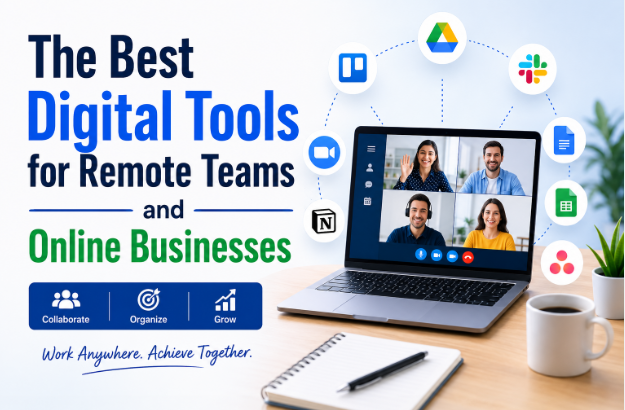
The Best Digital Tools for Remote Teams and Online Businesses
Remote work has evolved from a temporary trend into a permanent way of doing business. In 2026, companies of all sizes—from freelancers and startups to global enterprises—rely on digital tools to communicate, collaborate, manage projects, and serve customers from anywhere in the world.
Whether your team works from home, across multiple offices, or from different countries, the right digital tools can dramatically improve productivity, reduce communication gaps, and simplify daily operations.
However, with thousands of software solutions available, choosing the right ones can be overwhelming. Some tools focus on communication, while others help manage projects, automate workflows, secure business data, or improve customer relationships.
This comprehensive guide explores the best digital tools for remote teams and online businesses, explains what they do, why they matter, and how to choose the right software for your business in 2026.
Why Digital Tools Are Essential for Remote Teams
Managing a remote team presents unique challenges. Without the right technology, employees may struggle with communication, file sharing, task management, or staying aligned on priorities.
Digital tools help solve these problems by enabling teams to:
- Communicate instantly
- Collaborate in real time
- Share files securely
- Track project progress
- Automate repetitive tasks
- Manage customers effectively
- Improve productivity
- Work from anywhere
By replacing manual processes with cloud-based software, businesses can stay organized and efficient regardless of where their employees are located.
Key Features to Look for in Digital Tools
Before investing in software, consider whether it offers:
Cloud-Based Access
Employees should be able to access work from any device with an internet connection.
Ease of Use
Simple, intuitive interfaces reduce training time and encourage adoption.
Collaboration Features
Look for real-time editing, comments, task assignments, and team communication.
Security
Choose platforms with encryption, multi-factor authentication, user permissions, and automatic backups.
Integrations
Your software should connect seamlessly with email, calendars, accounting tools, CRM systems, and other business applications.
Scalability
As your business grows, your software should support more users, larger projects, and additional features.
Communication Tools
Clear communication is the foundation of every successful remote team.
Modern communication platforms provide:
- Instant messaging
- Team channels
- Voice calls
- Video conferencing
- File sharing
- Screen sharing
Benefits include:
- Faster decision-making
- Reduced email overload
- Better collaboration
- Improved team engagement
Remote employees can stay connected no matter where they work.
Video Conferencing Software
Virtual meetings have become part of everyday business operations.
Video conferencing tools allow teams to:
- Hold client meetings
- Conduct interviews
- Deliver presentations
- Host webinars
- Collaborate visually
Many platforms now include AI-powered meeting summaries, live captions, and automatic recordings.
Project Management Tools
Project management software keeps everyone organized.
Teams can:
- Create tasks
- Assign responsibilities
- Set deadlines
- Track progress
- Share updates
- Manage workloads
Popular features include:
- Kanban boards
- Gantt charts
- Calendars
- Time tracking
- File attachments
These tools help ensure projects stay on schedule.
Cloud Storage and File Sharing
Remote teams need secure access to business documents.
Cloud storage platforms offer:
- Automatic backups
- File synchronization
- Secure sharing
- Version history
- Permission controls
Employees can work on the latest version of files without worrying about duplicate copies.
Document Collaboration Tools
Businesses create countless documents every day.
Collaborative document platforms enable multiple people to:
- Edit simultaneously
- Leave comments
- Suggest changes
- Track revisions
- Restore previous versions
This improves teamwork while eliminating confusion caused by multiple document copies.
Customer Relationship Management (CRM) Software
Customer relationships are easier to manage with CRM software.
CRM platforms help businesses:
- Organize customer information
- Track leads
- Monitor sales pipelines
- Schedule follow-ups
- Improve customer service
Automation features reduce manual data entry and help sales teams focus on building relationships.
Team Collaboration Platforms
Many businesses prefer all-in-one collaboration tools.
These platforms combine:
- Messaging
- File sharing
- Task management
- Video meetings
- Calendars
- Notes
Having everything in one place reduces app switching and improves productivity.
Time Tracking Software
For remote teams, time management is especially important.
Time tracking tools help businesses:
- Monitor work hours
- Track project time
- Generate reports
- Analyze productivity
- Improve project budgeting
These insights support better planning without relying on guesswork.
Accounting and Finance Software
Managing business finances remotely has become much easier.
Modern accounting software automates:
- Invoicing
- Expense tracking
- Financial reporting
- Tax calculations
- Bank reconciliation
- Payroll
Cloud-based accounting allows business owners to access financial information anytime.
Marketing Tools
Digital marketing relies heavily on automation and analytics.
Marketing platforms help businesses:
- Schedule social media posts
- Create email campaigns
- Track website traffic
- Manage advertising
- Analyze campaign performance
Automation enables consistent marketing with less manual effort.
Customer Support Tools
Providing excellent customer service remains essential for online businesses.
Support platforms include features such as:
- Live chat
- Help desk tickets
- Knowledge bases
- AI chatbots
- Customer history
- Performance analytics
Fast, organized support builds trust and customer loyalty.
Password Management Tools
Remote teams often use dozens of online accounts.
Password management software helps by:
- Storing passwords securely
- Generating strong passwords
- Sharing credentials safely
- Supporting multi-factor authentication
This reduces security risks associated with weak or reused passwords.
Cybersecurity Tools
As remote work grows, cybersecurity becomes increasingly important.
Businesses should consider tools for:
- Antivirus protection
- Endpoint security
- VPN access
- Identity management
- Threat detection
- Data encryption
Strong cybersecurity protects sensitive business and customer information.
AI Productivity Tools
Artificial intelligence has become an integral part of modern business software.
AI-powered tools assist with:
Writing
Generate emails, reports, blog drafts, and marketing copy.
Meeting Assistance
Summarize meetings, identify action items, and organize notes.
Data Analysis
Analyze large datasets and generate insights quickly.
Customer Support
AI chatbots answer routine customer questions around the clock.
Workflow Automation
AI can automate scheduling, document processing, and repetitive administrative tasks.
These features help employees focus on strategic and creative work.
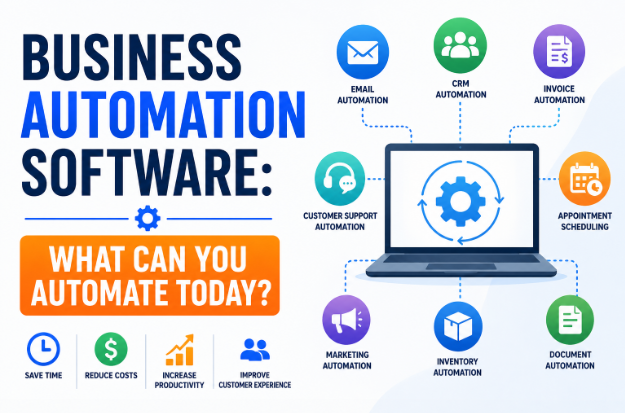
Workflow Automation Tools
Automation software connects different business systems to reduce manual work.
Examples include:
- Website inquiries creating CRM contacts automatically
- New orders generating invoices
- Payments updating accounting records
- Customer support tickets notifying the appropriate team
Automation improves efficiency while reducing errors.
Choosing the Right Digital Tools
Before selecting software, ask yourself:
What problems are you solving?
Choose tools that address your biggest operational challenges.
Is the software easy to use?
Complicated software often results in poor adoption.
Does it integrate with existing systems?
Integrated software reduces duplicate work and improves efficiency.
Is it secure?
Verify encryption, backups, compliance, and user access controls.
Can it scale?
Select software that will continue meeting your needs as your business grows.
Common Mistakes to Avoid
Many businesses invest in software without proper planning.
Avoid these mistakes:
- Purchasing too many tools
- Ignoring employee feedback
- Choosing software based only on price
- Skipping free trials
- Overlooking integration capabilities
- Neglecting cybersecurity
- Failing to train employees
Careful evaluation leads to better long-term results.
Benefits of Digital Tools for Remote Teams
Organizations using modern digital tools often experience:
- Higher productivity
- Better collaboration
- Improved communication
- Reduced operating costs
- Faster decision-making
- Better customer experiences
- Stronger security
- Greater flexibility
- Easier business growth
Technology enables remote teams to work as effectively as traditional office-based teams.
Future Trends in Remote Work Technology
The digital workplace continues to evolve.
Major trends shaping 2026 include:
AI Everywhere
Artificial intelligence is becoming a standard feature across communication, project management, CRM, and productivity platforms.
Unified Workspaces
Businesses increasingly prefer platforms that combine messaging, meetings, documents, and project management into a single environment.
Smarter Automation
Routine workflows are becoming more intelligent through AI-powered automation.
Enhanced Cybersecurity
Zero-trust security models, biometric authentication, and advanced threat detection continue to improve remote work security.
Better Employee Experience
Software providers are focusing on reducing digital fatigue through cleaner interfaces, better notifications, and AI-powered productivity features.
Frequently Asked Questions (FAQ)
What digital tools does every remote team need?
Most remote teams benefit from communication software, video conferencing, project management tools, cloud storage, document collaboration platforms, and cybersecurity solutions.
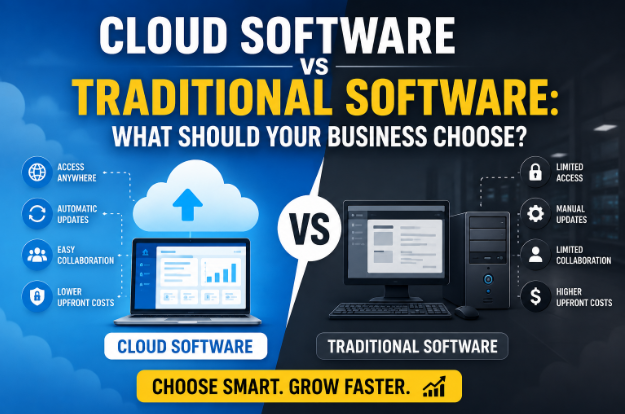
Are cloud-based tools better for remote work?
In many cases, yes. Cloud-based tools allow employees to access data from anywhere, collaborate in real time, and receive automatic updates without managing local infrastructure.
Can small businesses afford these tools?
Many providers offer free plans or affordable subscription options designed for startups and small businesses. Companies can often begin with essential features and upgrade as they grow.
How many digital tools should a business use?
It's generally better to use a smaller number of well-integrated tools than many disconnected applications. This reduces complexity and improves productivity.
Will AI replace remote workers?
AI is more likely to enhance remote work by automating repetitive tasks, providing insights, and improving efficiency. Human creativity, strategic thinking, and relationship-building remain essential.
Final Thoughts
The right digital tools can transform the way remote teams and online businesses operate. From communication and project management to accounting, customer support, cybersecurity, and AI-powered automation, modern software enables businesses to work more efficiently, collaborate seamlessly, and scale with confidence.
Rather than adopting every new application, focus on building a streamlined toolkit that solves your biggest challenges, integrates well with your existing systems, and supports your long-term goals. By investing in the right digital tools today, your business will be better prepared to thrive in the increasingly connected and competitive world of 2026.

developeradmin
GearInspector contributor. Passionate about helping you make smarter buys.